
Name-Based Case Searches
Sterling County itself offers no name-search form on its website. For participating civil, family, and probate matters, go to re:SearchTX instead. You will need to register or sign in first. The official guide splits the system into Cases, Filings, Text in Documents, and Hearings. Search a party name under Cases. Do not search document text for it.
- Open re:SearchTX and sign in or register under the portal’s current terms.
- Choose Cases, enter the available party or case details, and limit the search to Sterling County when that filter appears.
- Use court, case type, date, and other available filters to narrow similar names. Exact options can vary by account.
- Open a plausible result and compare the court, county, style, filing date, and cause number with known papers.
- Confirm the result with the clerk if the status, document access, or newest setting matters.
The portal publishes no fixed form built for Sterling County. So expect that some fields may be missing or arranged differently.
| Field Label | Type | Required | Notes |
|---|---|---|---|
| Keyword or party | Text | Varies | Use a full name when known; verify party role. |
| County | Filter | No | Select Sterling to reduce unrelated matches. |
| Case type or court | Filter | No | Options vary with portal access and data. |
| Date range | Filter | No | Use a known filing period when possible. |
Sterling Search Starts With Court
Which office holds the record depends on the court level. The District Clerk keeps files for the 51st Judicial District Court. That court covers felony cases plus district civil and family matters. The County Clerk holds constitutional County Court and probate records. Traffic, small-claims, and eviction dockets sit with the countywide Justice Court. Sterling City has no municipal court at all.
Knowing the split saves you dead ends. A traffic citation belongs with the Justice Court and its GovRec route. It does not belong in a district civil search. And a felony cannot be ruled out just because the statewide portal returns nothing. The Texas Judicial Council describes that collection as excluding criminal case records.
Case Number Searches
Sterling County publishes no official case-number pattern. So do not invent a year prefix or court code. Type the identifier exactly as printed. Use your notice, citation, clerk letter, or an earlier result as the source. District and county matters use a case or cause number. Traffic uses a citation number, and an appeal gets its own appellate cause reference.
Treat the printed value as the format: exact cause number from court papers. Keep every letter, zero, punctuation mark, and space. If the formatted number fails, follow only the instructions the portal displays. Then call the clerk rather than guessing a new number.
Four re:SearchTX Search Modes
re:SearchTX offers four separate modes. Cases finds the whole matter. Filings tracks a submitted or recorded filing event, while Text in Documents searches document content the portal allows you to see. Hearings narrows to settings. Filters, saved searches, and export tools may appear too. The official public portal landing shows the sign-in and search system.
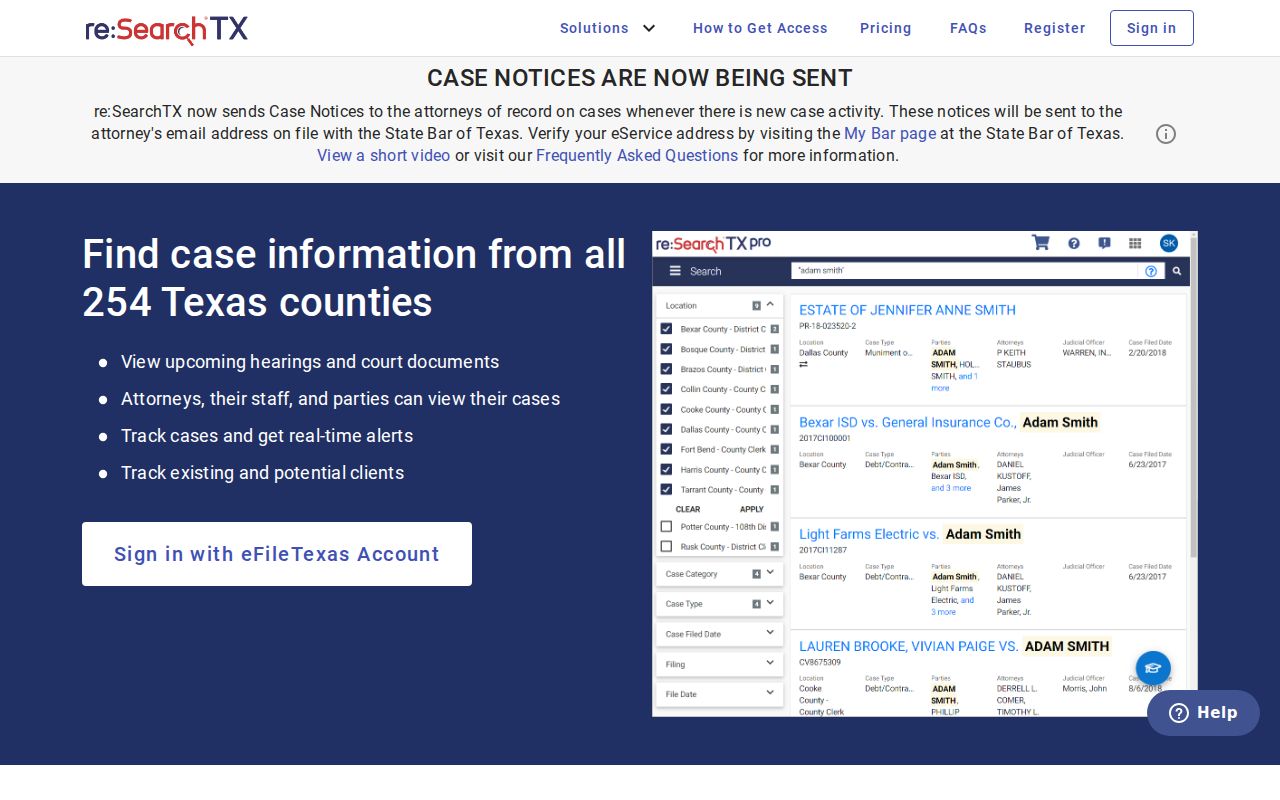
That entry point is statewide. It does not prove every Sterling record or attached image is open to the public.
Case Search Results Explained
Check any result against what you already know. Start with court, Sterling County, cause number, filing date, and style. Then work through roles, status, filings, and hearings in order. A hearing entry means a setting was made. It does not mean the hearing happened. And an event label does not promise you can view its attached document.
| Case Number | The clerk-assigned identifier; use the exact published value. |
|---|---|
| Style / Parties | The caption and public party-role labels. |
| Case Type | The published category, such as civil, family, or probate. |
| Filed Date | The date the clerk opened or accepted the case filing. |
| Status | An active, disposed, appealed, or restricted indicator when published. |
| Events | Filings, notices, orders, hearings, resets, judgment, and appeal entries. |
No public Sterling trial record shows confirmed financial, bond, or document-price fields. When you need an official record, request the document or a certified copy from its custodian.
Sterling Civil Full Search
The eFileTexas active-court matrix lists Sterling civil as mandatory e-filing with Full Search. Full Search here means the integrated case-management system can supply existing-case data for case-number lookups. The matrix is not a public party-name docket form. Sterling criminal is marked mandatory. Yet that row shows no public criminal-search status. The matrix records local participation only.
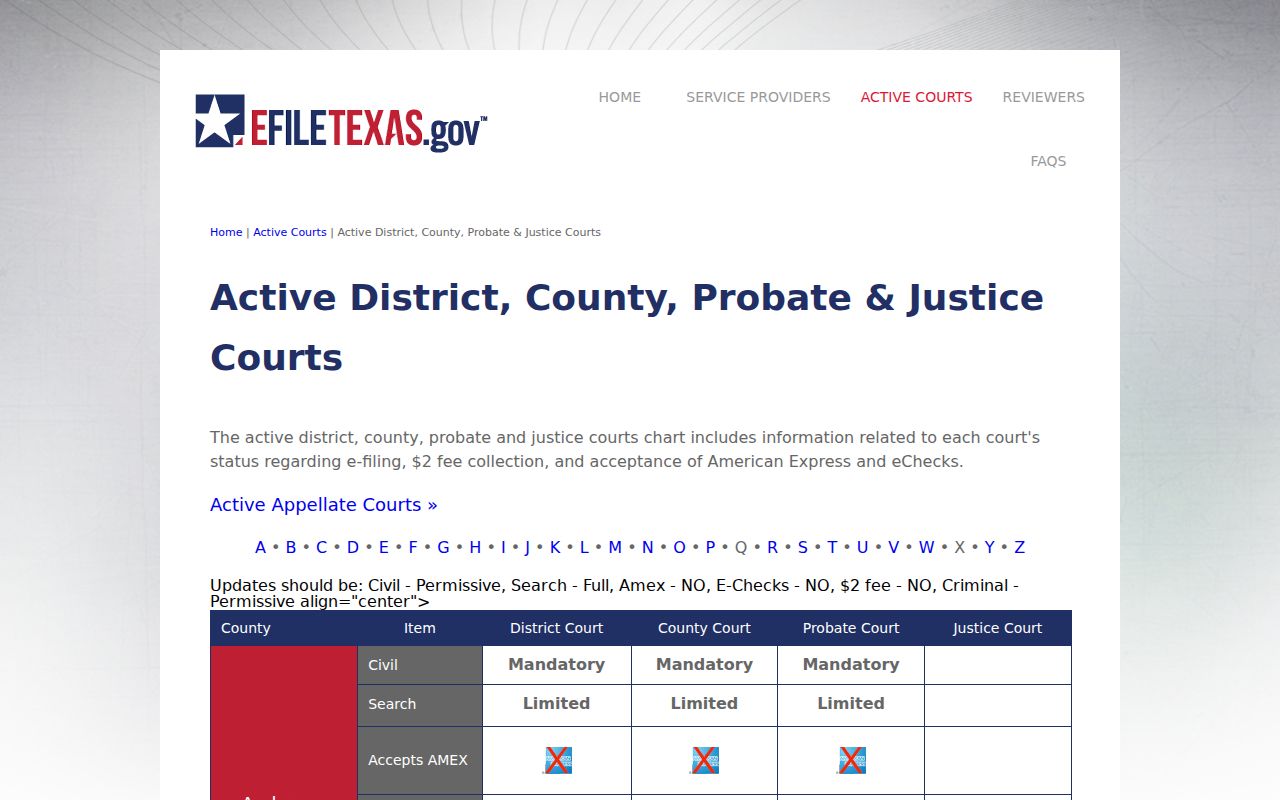
Do not mistake e-filing status for public access. A filing can sit in the court system while its image stays restricted or needs a separate portal purchase.
Two Ways to Search: County and State
Sterling County has no trial-case portal to compare with re:SearchTX. The local channel is the office itself, reached by phone, mail, published email, or the courthouse counter. The statewide channel handles online discovery for participating case types.
| Statewide re:SearchTX | Sterling County Custodian |
|---|---|
| Participating e-filed civil, family, and probate-type data | District, County, or Justice Court files held locally |
| Cases, filings, documents, and hearings search modes | Exact docket, older file, criminal case, and copy questions |
| Registration, filters, export, and possible document charges | Phone, mail, email, or counter request; fees must be quoted |
| Not proof that an absent case does not exist | Best final source for official status and certified copies |
Visit 609 4th St or call (325) 378-5191 for District and County Clerk routing. The Justice Court docket line is (325) 378-3761. Mail reaches the clerks at P.O. Box 55 and the JP at P.O. Box 983.
Sterling Criminal Search Has a Gap
The Texas Judicial Council describes re:SearchTX as excluding criminal case records. A blank result therefore cannot rule out a Sterling felony or county-level criminal cause. Ask the District Clerk for a 51st District felony file. Ask the County Clerk for a constitutional County Court matter, or the JP for fine-only cases.
Traffic works differently. Sterling County links GovRec for citation search and payment. County instructions route users through its criminal-search menu, with a citation number required. That vendor route is no substitute for a general felony, civil, or probate docket.
CARD Finds Courts, Not Cases
CARD is short for Court Activity Reporting and Directory System. It offers court directories, activity reports, and public queries. It is not a replacement for the Sterling docket search. Use it to verify a court or study aggregate activity across the system. Do not use it to look up one party's individual cause. The official CARD interface makes that scope plain.
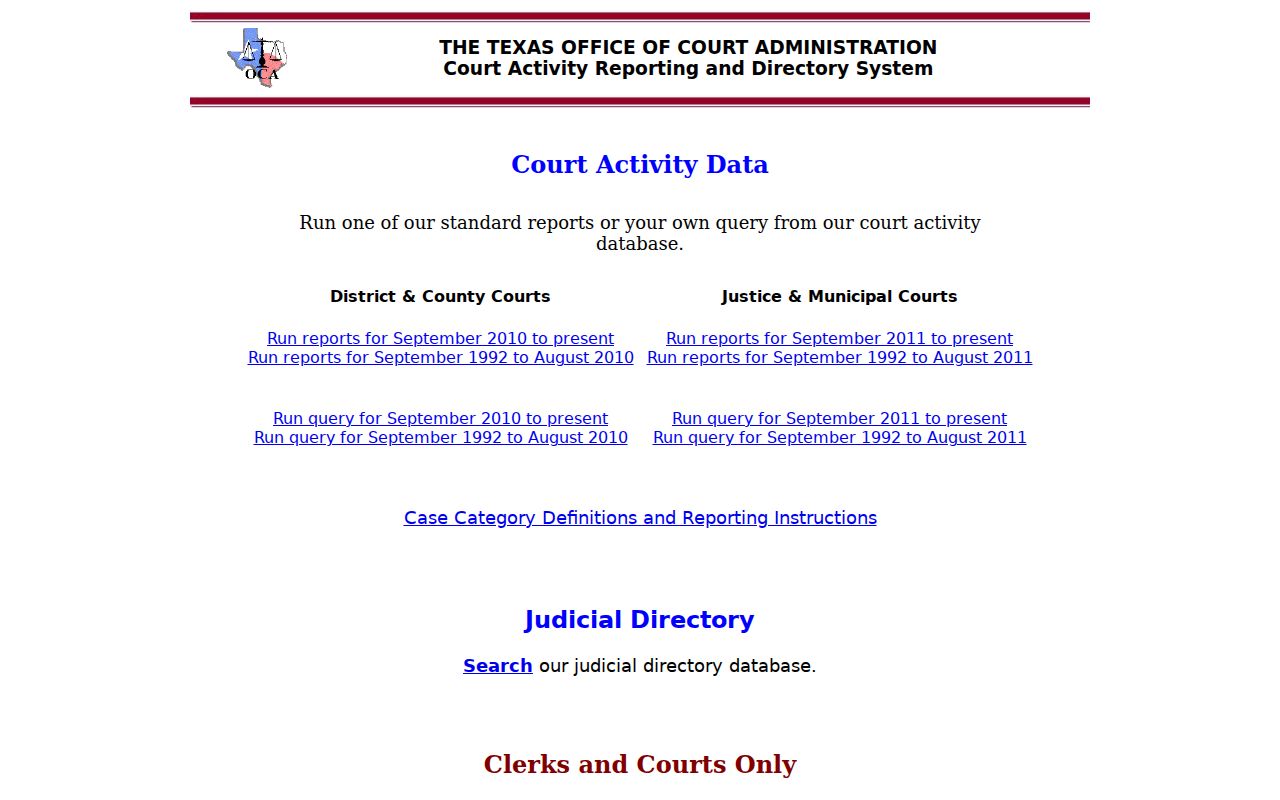
Say CARD points you to the right courthouse. You still need re:SearchTX or the local clerk to pull an actual case result from the Sterling County court docket. CARD stops at the court itself.
Which Cases Stay Restricted
Some Sterling County court records stay closed by law. Juvenile files can be confidential under Texas Family Code Chapter 58. A sealed case may show only thin metadata, a restricted label, or nothing at all. Expunged or nondisclosed matters drop out of public view too. Adoption, CPS, and family filings, plus papers carrying personal identifiers, often get extra shielding.
No result does not mean no case existed. Check first that you searched the right court. Check the correct case number, the proper spelling, and a good date range. If the entry still will not appear, ask the clerk whether the file predates portal coverage or sits outside the database. It may also be sealed, juvenile, or otherwise restricted. Protected material opens only for an authorized person or by court order.
Sterling Courthouse Docket Search
When a Sterling County record is old or missing online, mail the clerk a focused request. Name the court, the case or cause number, the style, the rough year, and exactly what you want. Say whether you need a docket sheet, a filing, an order, a judgment, or a plain copy. State it clearly rather than a certified copy. Sterling publishes no general copy-request form, no public terminal promise, and no verified certified-copy price. So confirm the method and the fee before any payment goes out.
Phones split by court. The District and County Clerk share (325) 378-5191. Each office keeps its own legal records, and the Justice Court answers at (325) 378-3761. Walk-in visitors can use the right counter at 609 4th St. Call ahead before counting on a public computer or same-day copy. Neither service is promised on the official pages.
Trust the clerk's answer over an online screen. A docket lists events; it is not the full case file and not a certified judgment. For the underlying files, see Sterling County court case records. For city matters start with Sterling City court records.