
Sterling County Court Record Requests
Your first job is naming the court. Jerri McCutchen holds two clerk roles, and the files never merge across them. Felony cases and major civil matters belong to the District Clerk for the 51st Judicial District Court. Family, juvenile, and other district-level records live there too. The County Clerk keeps constitutional County Court and probate records. Traffic, fine-only criminal, small-claims, and eviction files belong to the countywide Justice Court. Transcripts are a separate animal entirely. The official court reporter, not a clerk, holds those.
Civil, family, and probate-type matters from participating courts may appear in re:SearchTX. eFileTexas lists Sterling civil under Full Search. Neither statewide source covers criminal records. When an online docket comes up empty, call the clerk.
- Choose the court and locate the cause, case, or citation number.
- Name the docket, pleading, order, judgment, exhibit, or transcript needed.
- Try re:SearchTX for a participating noncriminal case.
- Call or visit the right clerk, or ask whether mail or email is accepted.
- Request a fee quote and specify plain, certified, or exemplified form.
Sterling Clerks Hold Different Records
One elected official runs both the District Clerk and County Clerk offices. The legal office, not the person, decides custody. So a 51st District Court judgment goes through the District Clerk. A County Court or probate paper goes through the County Clerk. Justice Court files stay with that court.
The official District Clerk page lists the district office, deputies, contact details, and hours. It also carries an appellate link.
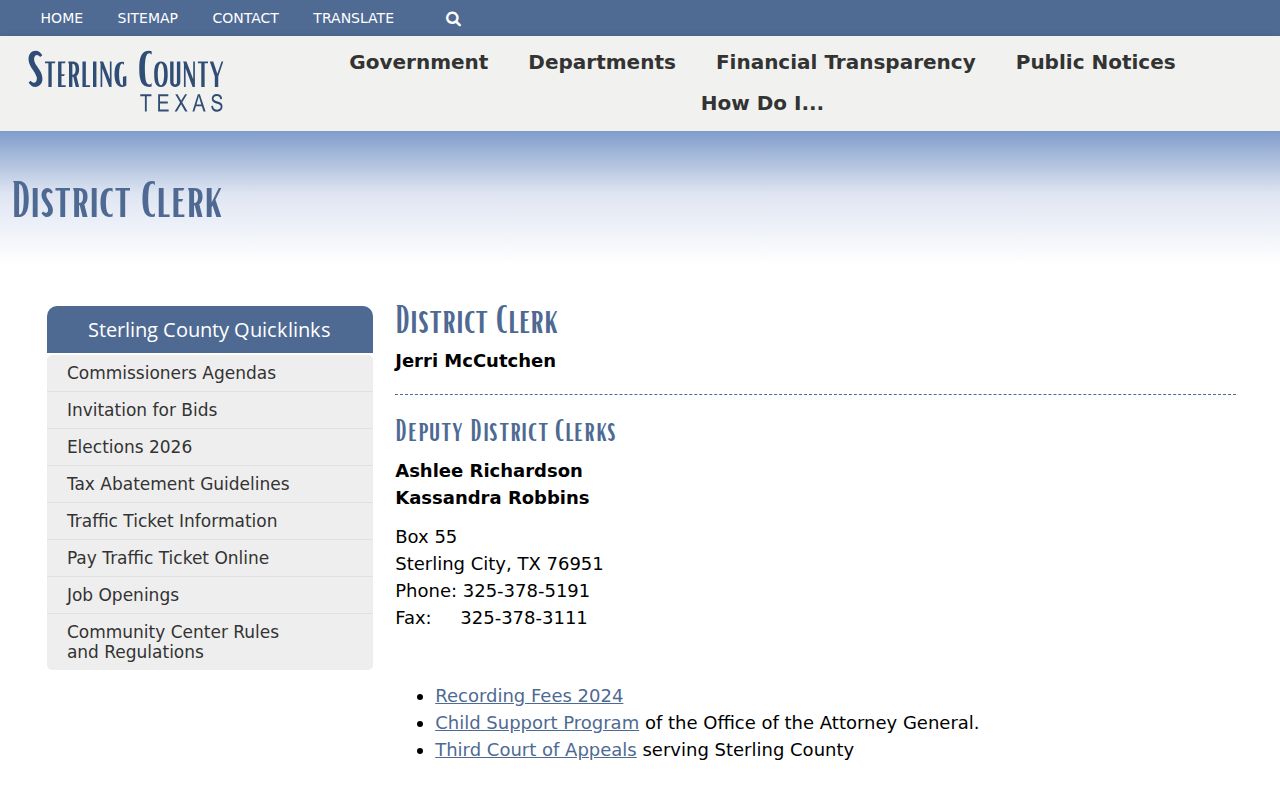
Check that screen before chasing a district file, since it confirms which office to call.
The County Clerk page identifies the constitutional and probate office separately.
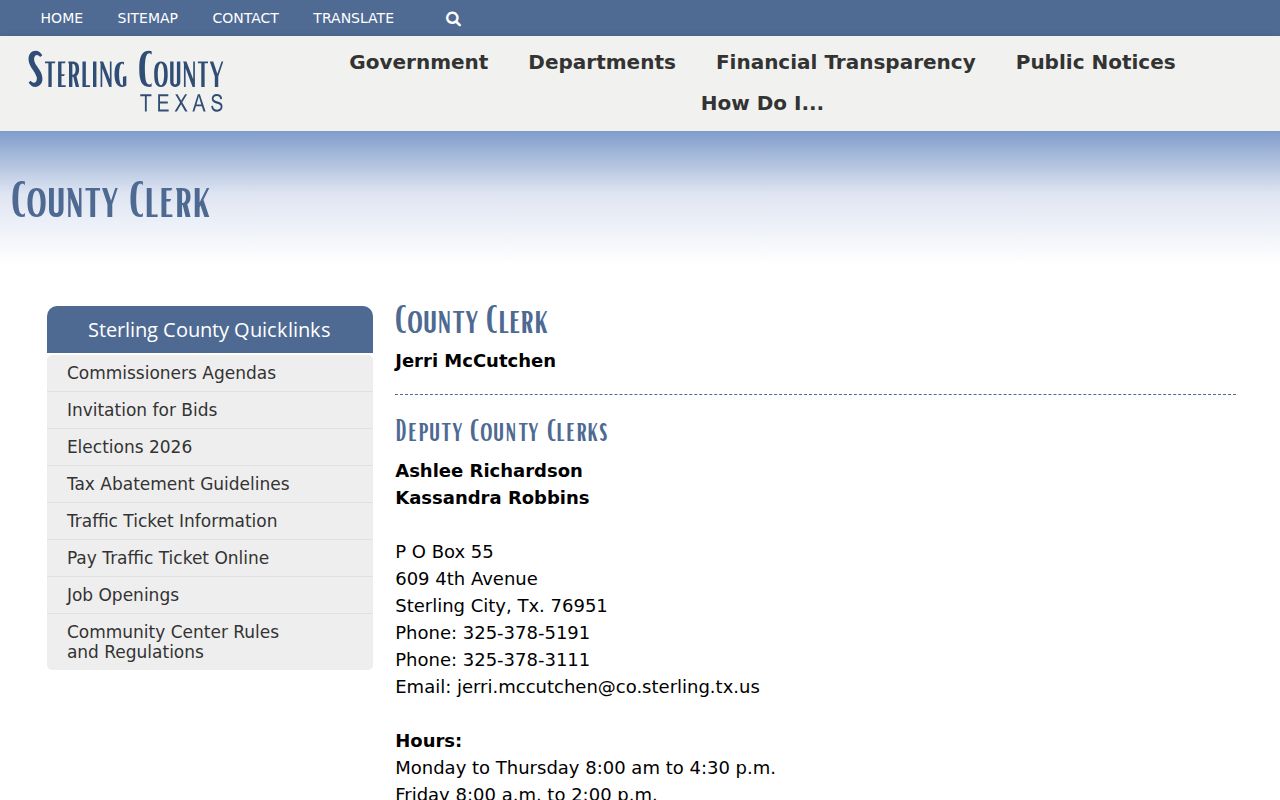
Its separate page reflects the split role, even though one elected clerk currently serves both offices.
Kinds of Sterling County Court Records
A docket is just the chronological index of court activity. It names filings and settings but does not hand you every document. The filed records sit behind those entries. Certification means the clerk has authenticated a copy. Ask for "the record" and you may get the wrong layer.
- Docket sheets and chronological event lists
- Petitions, indictments, answers, and motions
- Notices, citations, signed orders, and judgments
- Filed exhibits and attachments, when public
- Plain, certified, or exemplified copies
- Reporter transcripts ordered from the reporter
A portal screen is not a certified copy. Use Sterling County docket search to find the case, then request the official item from the clerk.
Three Sterling Court Record Layers
Each of the three layers answers a different question. The docket tells you when an event was entered, the filed document gives the text behind it, and certification confirms the clerk authenticated the copy.
Docket: the ordered list of filings, settings, rulings, and disposition events.
Filed document: a petition, motion, order, judgment, notice, or other item behind an entry.
Certified copy: a clerk-authenticated copy, which carries more weight than a plain printout or ordinary PDF.
Availability varies with date and case type. Redaction can leave an event visible on the docket while hiding private data inside its attachment.
Court Records: What They Contain
A Sterling County court record can mix identifying fields with filings and rulings. Labels vary by court, and the county publishes no set case-number pattern. Copy the case number exactly as printed.
| Case Number | The cause or case identifier, shown as exactly as printed. |
|---|---|
| Case Style | Party names and court roles. |
| Docket Sheet | A chronological list of filings and settings. |
| Pleadings | Petitions, indictments, answers, and motions. |
| Orders & Judgments | Signed rulings and final disposition. |
| Exhibits | Evidence or attachments, subject to restrictions. |
A docket entry will not spell out an order's terms. Request the filed order itself when the wording matters.
Older Sterling County Case Files
A blank portal result does not mean no record exists. Older files may predate the electronic collection or sit in paper, microfilm, or archive storage. The Texas Judicial Council describes the re:SearchTX collection as reaching back to 2016. Coverage still depends on participation and case type.
Give the clerk the year, party names, case style, court, and cause number. Ask whether archive retrieval is needed. Sterling County posts no local archive price or court-copy form. So confirm the fee and delivery method before sending any money.
Put your mailing address, phone or email, the exact document, and your preferred delivery method into any written request. Say whether you want plain, certified, or exemplified form too. Send identification or proof of authority only if the clerk says a restricted request requires it. For a thick file, ask the office to quote the page count and cost first. That step keeps you from paying based on the unrelated recording fee. Use mail or email only after the office confirms it accepts that kind of court-copy request. It should also tell you which payment instrument it takes. For a filed exhibit, ask whether it remains in clerk custody and whether an access order applies. For an old judgment, do not settle for the docket summary. Tell the clerk you want the signed judgment itself. These details point the clerk to the right storage system and get you the record you actually need.
Copy Fees and Certification
The clerk pages post no verified court-copy schedule. The County Clerk does list a $25 first-page and $4 additional-page recording fee. That figure is a recording charge, not a court-copy price, so do not reuse it for a case copy.
| Record or Service | Verified Status |
|---|---|
| Plain court copy | Fee not located; ask the clerk |
| Certified docket, judgment, or filing | Fee not located; ask the clerk |
| Exemplified copy | Fee not located |
| Search or archive retrieval | Fee not located |
| Transcript | Reporter sets fee; amount not posted |
| Online document image | Purchase fees may apply; Sterling amount not confirmed |
Sterling County Clerk Offices
609 4th Street
Sterling City, TX 76951
(325) 378-5191
Sterling Transcripts Use Another Custodian
A transcript and a judgment copy are two different things. The clerk keeps the judgment. The verbatim record belongs to the reporter. Sterling County's 51st District Court page names Cindy Wilde as court reporter. It posts no price or turnaround for transcripts.
When you contact the reporter, give the hearing date, the court, the case number, and what kind of proceeding it was. Say whether you need the full hearing or just part of it. Ask for an estimate before committing. A certified judgment may be enough if all you need is proof of the outcome. But check with the office that will receive it. The reporter can explain what source material exists and how the quote is set. Keep the quote and delivery terms in your file. The county's posted court-copy information does not include them.
Access Rules for Court Records
Court case records in Texas sit outside the usual Texas Public Information Act framework. Under Government Code section 552.0035, access to judicial records is governed by Supreme Court rules and other law instead. The OCA draws its own line too. It keeps case files separate from Rule 12 judicial administrative records. So who do you ask? The court or clerk that holds a given Sterling County case file is the office to contact.
Key rules: OCA’s policy explains the record split. Government Code Chapter 552 contains the judiciary exception. Family Code Chapter 58 governs juvenile confidentiality.
Not every docket entry is open. Sealed, expunged, nondisclosed, juvenile, adoption, and CPS material may return limited data or no public result at all. Personal identifiers in a court record can also be redacted before release.
Sterling Case Screens Are Not Copies
Treat any online docket screen as a finding aid, not the file itself. A live search can change. It may leave out an attachment or come without certification. It helps you locate a case, but the clerk's record is what controls. Sterling County's own disclaimer takes the same view. It calls online content informational only. The OCA access page keeps administrative judicial records and court case records in separate categories.
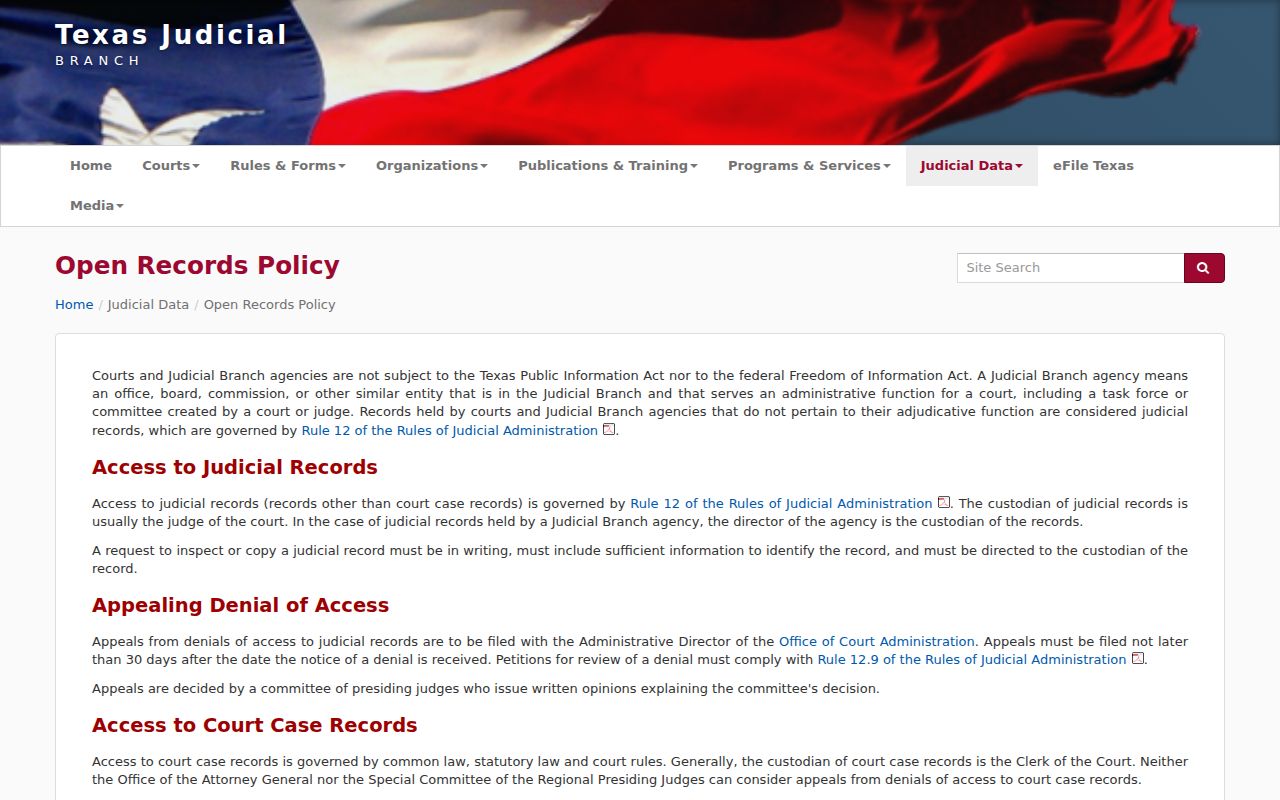
That split matters for your request. A Sterling County case file must come from its court or clerk, not OCA. The Family Code source shows why juvenile access runs through a much narrower path.
Sterling County case screens come from the same statute that lets the court hold back or trim what a plain adult docket would show in full.